Monitoring for Wordpress website
WordPress Plugin
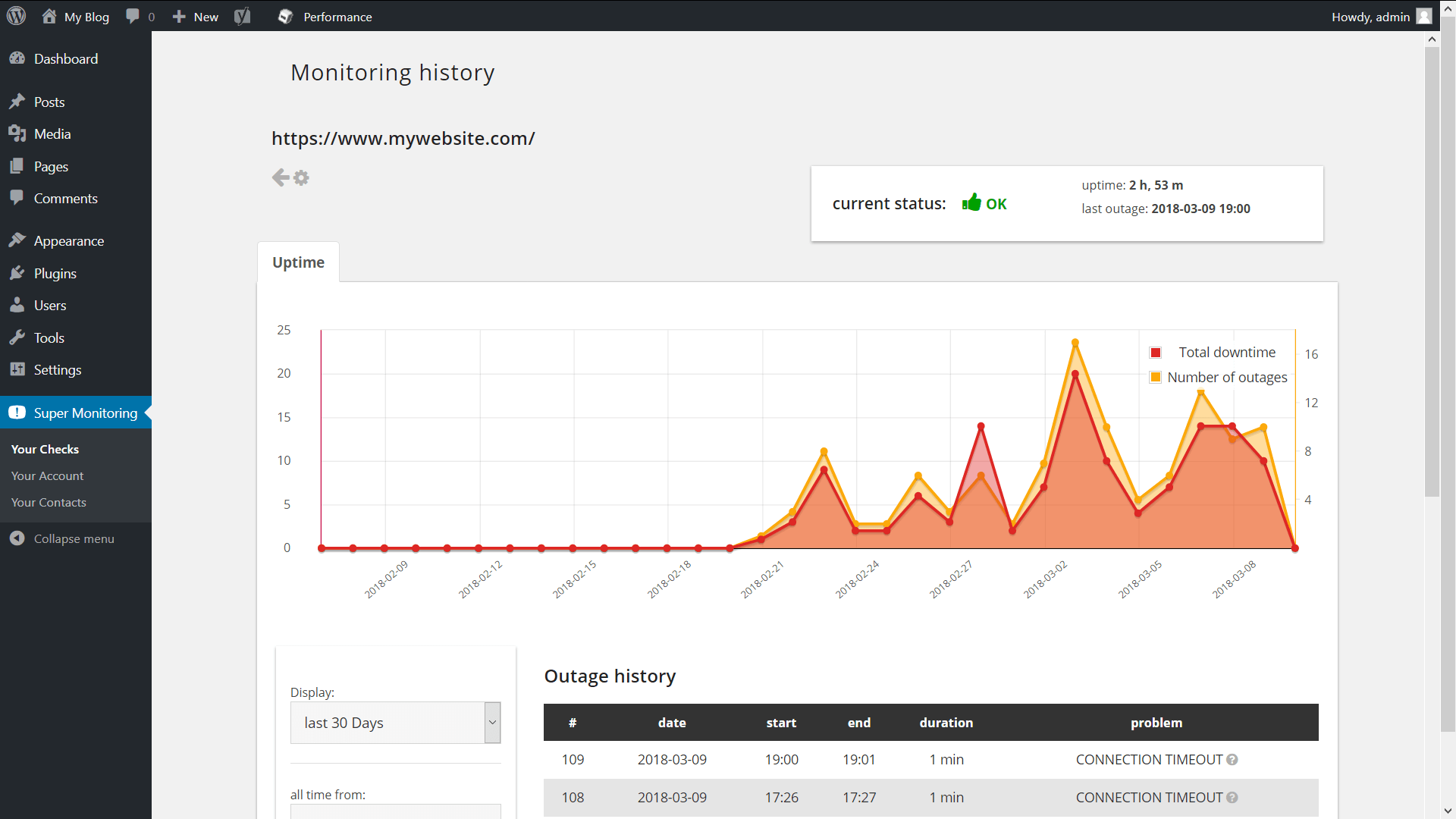
If your blog or website is based on WordPress, you can have your Super Monitoring interface displayed directly in your WP admin panel.
Installation
The "Super Monitoring" plugin can be installed exactly the same way all other WP plugins are installed:
- In the "Plugins" section of your WP admin panel click "Add New".
- Into the "Search Plugins" field enter "super monitoring" and press Enter.
- Click "Install Now" next to the found plugin.
- After the plugin is installed, click the "Activate Plugin" link.
- Go to the configuration "Settings > Super Monitoring".
- Into the "Authorization token" field paste your token. You can obtain it on www.supermonitoring.com in the "Account Settings" section.
- Done.
Usage
After installing the plugin, a new section will appear in your WordPress panel - "Super Monitoring". You will find there three tabs:
- "Your Checks" - showing a list of your checks and giving you access to the data
- "Your Account" - enabling you to update your account configuration.
- "Your Contacts" - notification recipients management.
WordPress Plugin Directory
Check our plugin in official WordPress Plugin Directory
Support & Feedback
Don't hesitate to contact us using the Contact Form.